Your test inboxes, one click from the form you are testing.
Sign in once, and every inbox in your workspace is one click away while you test — the verification code is highlighted the moment the email lands.
Chrome 116+ · free with every Inflovy account
Three steps, none of them in another tab.
Everything your team sees on inflovy.com, without leaving the page under test.
- Step 1
Sign in once
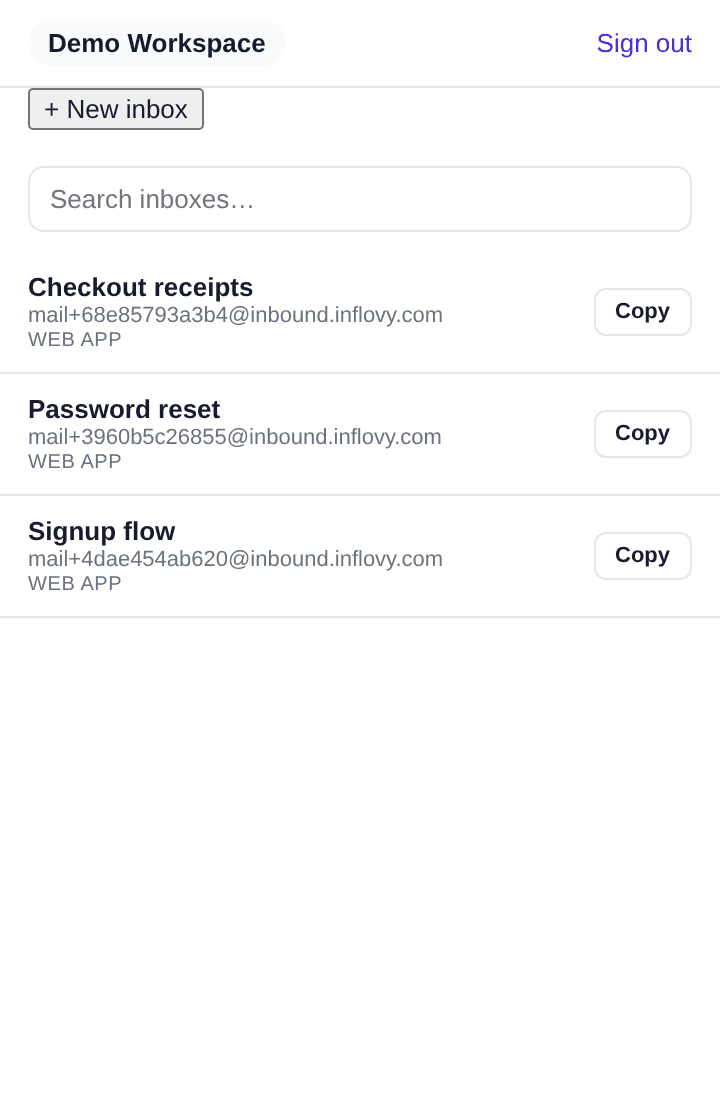
Click the toolbar icon and sign in with your Inflovy account. The popup lists every inbox in your workspace with its latest mail, and the badge shows what is unread.
- Step 2
Fill the form
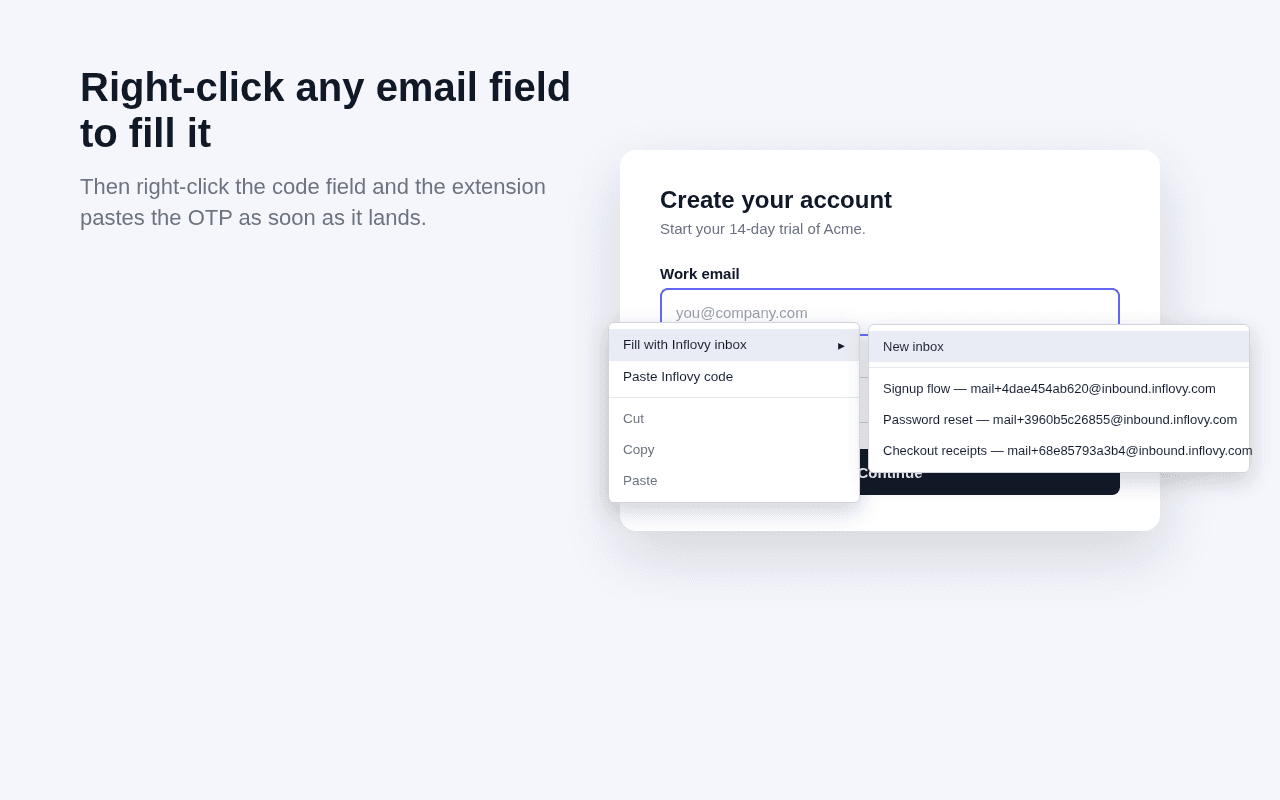
Right-click the email field on the page under test and choose “Fill with Inflovy inbox” — a new inbox or one you used recently. No copying addresses between tabs.
- Step 3
Paste the code
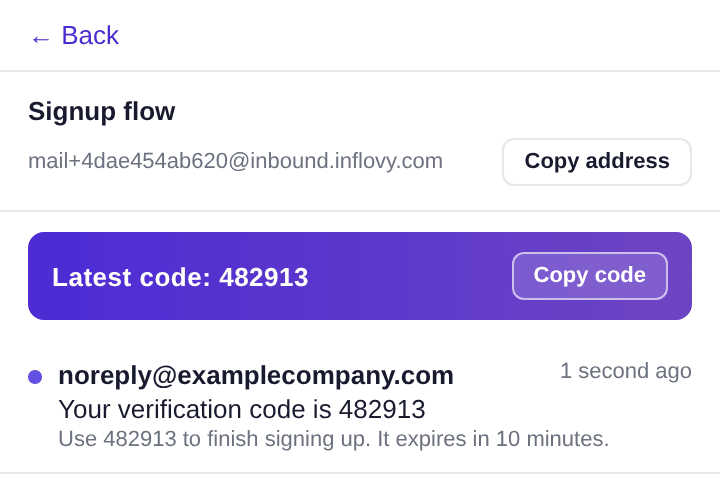
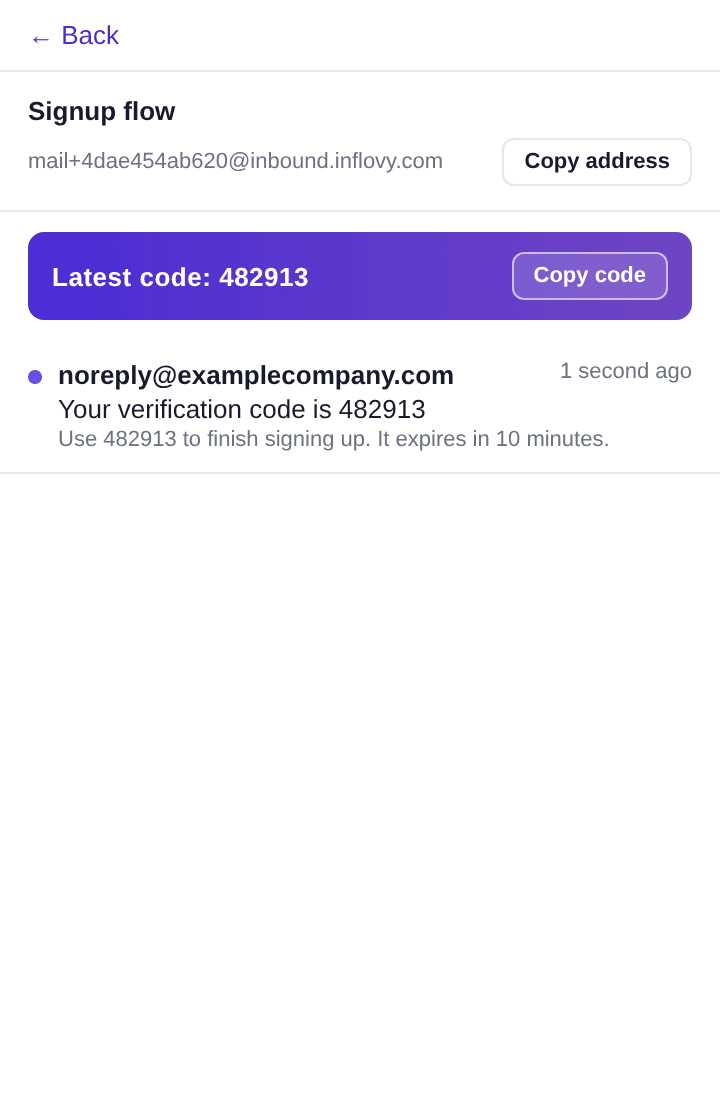
When the verification email arrives the code is detected and shown as a copy chip. Right-click the code field and choose “Paste Inflovy code”; if the email has not landed yet the extension waits for it, up to a minute.
What it can and cannot do.
The permissions are the minimum for filling a field on your say-so. The full disclosure is in the privacy policy.
- Talks only to api.inflovy.com, with your own session token.
- Never reads page content. It writes into a field only when you pick a menu entry, and there are no content scripts.
- Stores your session and selected workspace locally; uninstalling removes everything.
- Receive-only by design — an Inflovy inbox can never send email.
Questions
- Do I need an Inflovy account?
- Yes. The extension signs in with your Inflovy account and shows the inboxes of your workspace. Accounts are free, and the extension works on every plan.
- Which browsers are supported?
- Chrome 116 and newer. Other Chromium browsers that install from the Chrome Web Store (Edge, Brave, Arc) generally work, but are not tested.
- Can teammates see the same inboxes?
- Yes. Inboxes belong to the workspace, so every member sees the same messages in the extension and on inflovy.com. Members are never a paid seat.
- How is the verification code detected?
- The same heuristic that powers the Inflovy API scans the newest message for a 4–8 digit code near words like “code” or “verify”. It is shown as a copy chip, and pasted by the right-click menu.